Dungeon Settlers PC, Mac, and Deck Requirements
Low minimums, small fonts, and a Playable Deck rating — check before you pause in a rat swarm.
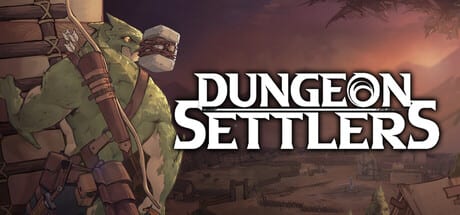
Dungeon Settlers is a 2D pixel Unity 6 game. It is not a ray-traced showcase. It still wants a readable UI, a second monitor for wikis, and enough RAM that pause does not hitch. Specs below are from the Steam storefront at Early Access. For gameplay help, go back to getting started.
Windows minimum
- OS: Windows 10 or newer, 64-bit
- CPU: Core 2 Duo (yes, that is the printed minimum)
- RAM: 4 GB
- GPU: Intel HD Graphics 4000 or other Shader Model 4.0
- Storage: 2 GB
Recommended on Steam is only “64-bit OS.” Translate that as: the minimum is the honest target for the pixel layer, and your pain will be UI scale, font size, and menu density, not triangles. Rock Paper Shotgun’s launch-week note about too many windows is a hardware-adjacent complaint.
macOS minimum
- OS: macOS 11.0 Big Sur
- CPU: Intel 64-bit or Apple Silicon
- RAM: 4 GB
- GPU: Metal-capable
- Storage: 2 GB
Mac support was an EA goal on the Notion roadmap and is listed live on Steam. If a specific Mac build misbehaves, Steam’s Mac discussions plus Discord beat a wiki guess.
Steam Deck
Valve: Playable, not Verified.
- Sometimes shows mouse, keyboard, or non-Deck controller icons.
- Some text entry needs the on-screen keyboard invoked manually.
- Some in-game text is small.
- Native resolution is supported but not always selected by default — set it yourself.
Pause-heavy games are decent Deck citizens if you can read them. Bump any in-game UI scale, use a community layout if one exists, and do not expect Verified comfort. Cloud saves should roam to desktop.
Other platform notes
- Single-player only. No extra people on the same PC, no online session.
- Steam Cloud is listed. Still copy a backup before you experiment.
- Family Sharing is listed.
- EULA is a third-party agreement on the store page; click it when Steam asks.
- No Linux native listing at launch week.
Practical performance tips
Close the fifty-layer overlay from the tutorial once you know controls. Limit zoom-out if frame time stutters on HD 4000. Pause is your friend; it also freezes simulation cost. A huge settlement with every recreation table and a full farm will cost more than a four-person expedition on an empty floor.
Buy checklist
- Windows 10 64-bit or macOS 11+.
- 4 GB RAM free, 2 GB disk.
- Steam account, official app 2798330 — see Early Access for the scam warning.
- If Deck: accept Playable caveats.
- If you need a language: Steam lists English, French, German, Spanish, Portuguese-Brazil, Japanese, Korean, Russian, Simplified and Traditional Chinese. This wiki covers English, French, German, Spanish.
If the game launches but you cannot read skill names, that is a spec-adjacent problem: font size, not GPU. Sit closer or play on a larger monitor before you refund for “unoptimized.” The difficulty tool will still be waiting when the pixels are sharp.
Cloud, copies, and “it vanished”
Steam Cloud is on, but pause-heavy colony games still reward a manual copy of the save folder before you install a beta branch. If a Mac build and a Windows box share Cloud, let the sync finish before you boot the second machine or you will race two clocks. Deck users should confirm the native resolution toggle after every client update; Valve’s Playable note exists because the game does not always pick it.
Family Sharing means another Steam account on the same machine can play. It does not mean two people in one dungeon. The design is one commander, one clan.
Storage growth during Early Access
The 2 GB number is launch-week. Regions 3–6, extra races, and Workshop (see roadmap) will grow the install. Leave a few extra gigabytes on Deck microSD cards. Screenshots and crash dumps also nibble space if you screenshot every shrine like this wiki’s combat hero image.
If the store page’s minimum CPU looks like a joke, remember this is pixel art with a dense UI, not a GPU benchmark. Refunds that say “my toaster meets spec but I cannot parse the hotbar” are a font problem. Use a larger display or wait for UI patches promised in the EA FAQ.
Frequently Asked Questions
Quick answers to the most common questions.
Can a 4 GB laptop run Dungeon Settlers?
It meets the printed minimum. Expect modest zoom and small UI. Close browsers if RAM is tight.
Is Steam Deck Verified?
No. Playable, with icon, keyboard, text-size, and default-resolution notes from Valve.
Is there a Linux build?
Not listed at Early Access launch. Windows, macOS, and Deck (Proton/Playable) are the path.
How big is the download?
Steam asks for 2 GB available space. Leave headroom for Cloud and future region packs.